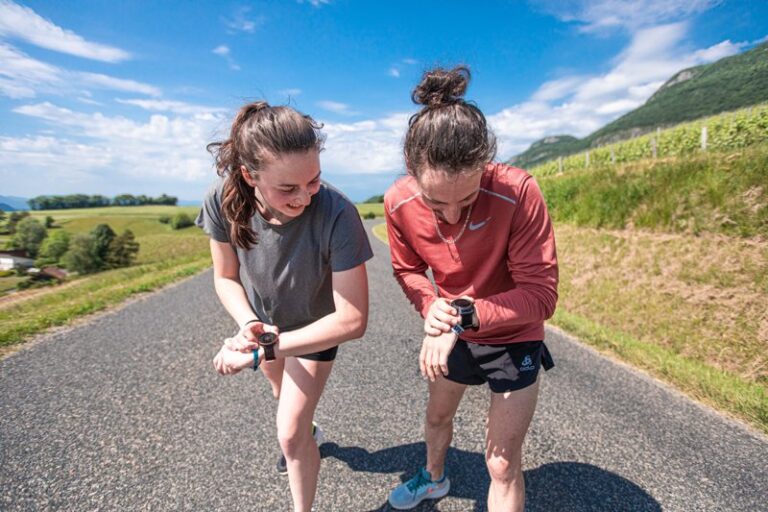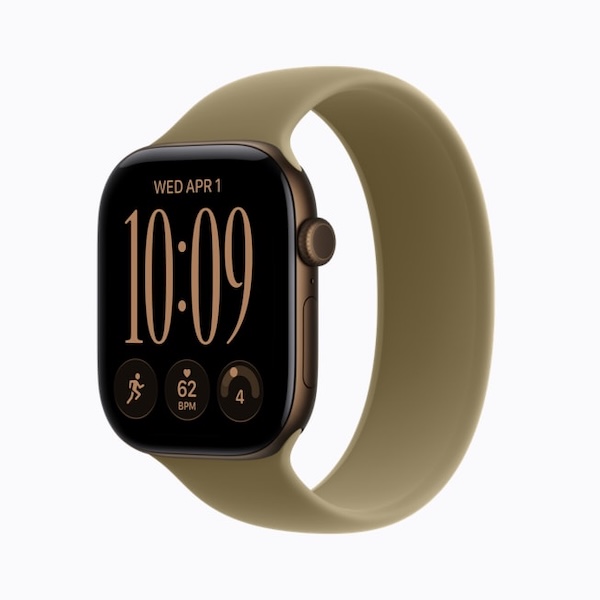
The Apple Watch is a very good watch for running, from your first easy jog to the marathon. Out of the box, though, it mostly gives you numbers. Set up properly, it becomes a real training tool.
In this guide, we’ll start with which Apple Watch to choose for running depending on your distances, then cover the settings to change before your first run, the data that really matters and how to program your interval sessions on it.
The short answer
- For road running, up to the marathon, an Apple Watch SE or Series is enough; for long trail runs and ultras, go for the Ultra.
- Before you run: enter your age, weight and height, customize your heart rate zones and do one outdoor GPS run to calibrate the watch.
- On easy runs, go by heart rate and feel; in intervals, go by the average pace of the segment, not your current pace.
- The Workout app lets you build structured sessions, and training apps like RunMotion Coach can send the sessions from your plan straight to it.
- Wrist-based heart rate is reliable for endurance running but less accurate on short, intense efforts: a Bluetooth chest strap solves that.
Contents
- Is the Apple Watch a good watch for running?
- Which Apple Watch should you choose for running?
- Settings to change before your first run
- The data to watch during your run (and what to ignore)
- Wrist heart rate: how far can you trust it?
- Doing intervals with the Apple Watch
- Apple Watch and trail running: what you need to know
- Apple Watch or dedicated GPS running watch: which should you choose?
- Common mistakes with an Apple Watch
- FAQ
- In summary
Is the Apple Watch a good watch for running?
For the vast majority of runners, yes. It measures everything you need to train: pace, distance, heart rate, elevation, cadence, and even running form data such as ground contact time and vertical oscillation. It also lets you follow a target pace, run on the track with accurate lap times and build complete interval sessions.
Its real strength is that it stays on your wrist for the rest of the day. You get your music, your calls, contactless payment to buy a bottle of water mid-run, and safety features such as fall detection and location sharing with someone close to you.
Its limits are well known. Battery life is counted in hours or days depending on the model, whereas some dedicated GPS watches last for weeks. The touchscreen is less practical with gloves, in the rain or with wet fingers. And for very long distances in the mountains, only the Ultra truly plays in the same league as trail watches.
Which Apple Watch should you choose for running?
As of November 2026, Apple sells three models: the SE 3, the Series 12 and the Ultra 4. For a runner, the right choice depends mostly on how long your runs last and on the terrain, not on the number of health features. The short version: the SE 3 to get started, the Series 12 for road running up to the marathon, the Ultra 4 for long trail runs and ultras.
| SE 3 | Series 12 | Ultra 4 | |
|---|---|---|---|
| Starting price | From €269 | From €449 | From €899 |
| GPS | Less accurate than the Series 12 | More accurate than the SE 3 | Dual-frequency, the most accurate |
| Heart rate sensor | Less accurate, less frequent readings | More accurate, more frequent readings | New sensor, the most advanced in the lineup |
| Claimed battery life | Up to 18 h | Up to 24 h (including 6 h of sleep); up to 10 h of outdoor running with GPS | Up to 50 h; 25 h of workout with full GPS and heart rate, 45 h in maximum extended mode |
| Charge to 80% | 45 min | 30 min | 45 min |
| Max screen brightness | 1000 nits | 2000 nits | 3000 nits |
| Thickness and weight | 10.7 mm | 9.7 mm, up to 38.6 g in aluminum | 12 mm, 63 g |
| Action button | No | No | Yes |
| Best for | Getting started, easy runs, 5K and 10K | Road running from 10K to marathon, short trail runs | Long trail runs, ultras, mountains |
The criteria that really matter for running
GPS accuracy determines how accurate your pace and distance are. On open roads, all three models do well. The difference shows in cities between tall buildings, in forests or at the bottom of valleys: that’s where the Ultra 4’s dual-frequency GPS makes a difference.
The heart rate sensor matters if you train by heart rate. The Series 12 and Ultra 4 measure more often and more accurately than the SE 3. Whatever the model, a Bluetooth chest strap remains the most reliable option for short intervals.
Battery life is the criterion that rules models out. Apple’s headline figures don’t describe a continuous GPS workout: the Series 12’s 24 hours include 6 hours of sleep. For runs of 1 to 2 hours, every model is enough. Apple claims up to 10 hours of outdoor running for the Series 12, enough for a marathon and most short trail races, and up to 25 hours for the Ultra 4, or even 45 hours in its most economical mode, which Apple says is enough for a 100-miler.
Size is something you feel with every stride. At 63 g and 12 mm thick, the Ultra 4 is noticeably heavier than the Series 12: try it on before you buy, especially if you have a slim wrist.
The screen and controls matter in tough conditions. A very bright screen is easier to read in full sun, and the Ultra’s Action button starts a workout or marks a segment without touching the screen, which is handy with gloves or wet fingers.
SE 3 or Series 12 for running?
If you’re starting out or preparing for a 5K or 10K, the SE 3 does the job for €180 less: same Workout app, same structured sessions, same running views. The Series 12 is worth it as soon as you train by heart rate, run a lot in the city or prepare for a half marathon or marathon: more accurate GPS and heart rate sensor, faster charging and a screen that’s easier to read in full sun.
Is the Ultra 4 worth it if you don’t run trails?
Rarely. On the road, its strengths (battery life, dual-frequency GPS, ruggedness) are of little use if your runs last less than 3 hours, and you pay €450 more for a heavier watch. It still makes sense if you want to charge every other day rather than every night, or if you run a lot in dense city centers where standard GPS drops out.
Older models: a good deal for running?
Often, yes. The Series 11 lacks the Series 12’s new sensors, more accurate GPS and faster charging, but it remains well above the SE 3 and is regularly on sale. Same logic for the Ultra 3, which shares the Ultra 4’s case with an older battery and sensors.
If you already own an Apple Watch, there’s no need to replace it to train well. A Series 6 or later runs watchOS 26 and is enough to follow structured sessions in the Workout app. It’s also the minimum version to receive the sessions from your RunMotion Coach plan (see below).
Settings to change before your first run
A poorly set up Apple Watch gives you approximate paces, calories and heart rate zones. Ten minutes of setup is enough to fix that.
- Enter your health details. Age, sex, height and weight are used to calculate calories, running power and your heart rate zones. Update them in the Health app on your iPhone.
- Calibrate your stride. Do a first run outdoors, in open terrain, using Outdoor Run. The watch uses GPS to learn your stride, which then improves distance on the treadmill or when the signal is poor.
- Customize your heart rate zones. By default, they’re estimated. If you know your real maximum heart rate, from a test or a race where you gave everything, enter it: your zones will be much more accurate.
- Choose your workout views. In the Workout app, tap the Views button on Outdoor Run and keep only the useful screens: for example Metrics, Heart Rate Zones, Segments and Elevation. Fewer screens means less scrolling mid-effort.
- Decide on Auto-Pause. Handy in the city at traffic lights, it can skew an interval or track session. Turn it off for those sessions (Settings > Workout > Auto-Pause).
- Turn on Theater mode during structured sessions. An accidental tap on the screen can skip to the next step and cut your warm-up short.
On the Ultra, also turn on Precision Start: the workout starts without the 3-second countdown, which is useful at the start of a race.
The data to watch during your run (and what to ignore)
The Apple Watch displays a lot of metrics. The trap is trying to watch them all. Here’s how to prioritize depending on the session.
On easy runs and long runs, look first at your heart rate and zone, then at how you feel. Easy running should feel conversational, at around 65 to 75% of your MAS (maximal aerobic speed) depending on your level: for a MAS of 14 km/h (8.7 mph), that’s roughly 5′43″ to 6′36″/km (9′12″ to 10′37″/mile). If your heart rate climbs at the same pace, because of heat or fatigue, slow down rather than forcing the pace.
In intervals, forget your current pace: it swings by several seconds per kilometer with every surge, especially in the city. Look at the average pace of the current segment: that’s what tells you whether you’re on target. On the track, turn on Track Detection: the watch suggests your lane and gives much more reliable lap times.
On hills and trails, pace loses its meaning. Heart rate and running power, displayed in watts, become better indicators of effort.
Running form data (cadence, stride length, ground contact time, vertical oscillation) is interesting to analyze after the session, over several weeks. During the run, it mostly risks making you change your stride artificially.
To set your paces, start by understanding your MAS, endurance and VO2max: MAS is the basis for all your training zones.
Wrist heart rate: how far can you trust it?
The Apple Watch’s optical sensor is one of the most reliable wrist-based sensors on the market, and it improves with every generation. However, all optical sensors share a physical limit: they measure blood flow under the skin, not the heart’s electrical activity. The chest strap therefore remains the reference, and the gap widens mostly on short, intense efforts, sudden changes of pace and in cold weather.
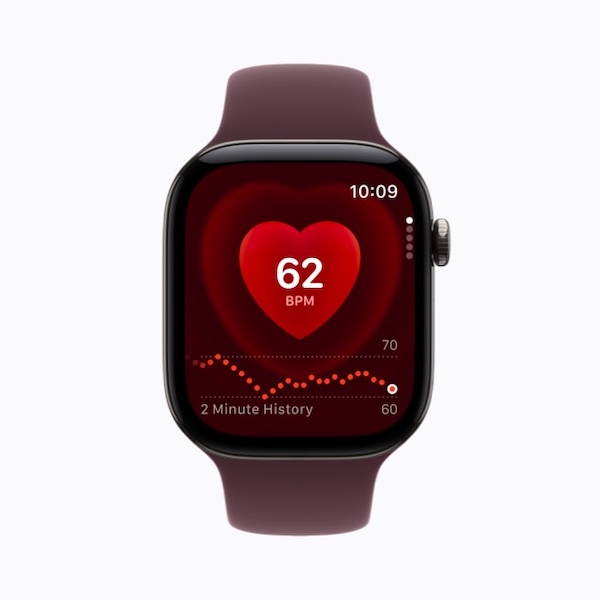
In practice, you can rely on it for easy runs and long runs. For short intervals driven by heart rate, pair a Bluetooth chest strap with your watch: the Apple Watch uses it automatically during the workout.
A few habits improve wrist readings: wear the band a little tighter when running than during the day, place the watch a finger’s width above your wrist bone, and give the sensor 1 to 2 minutes to settle at the start of the session.
Health features such as the ECG or irregular rhythm notifications don’t replace medical advice. If you feel chest pain, unusual palpitations or faintness during exercise, stop and see a healthcare professional.
Doing intervals with the Apple Watch
Since watchOS 9, the Workout app lets you build a complete session: warm-up, repeated work and recovery blocks, cool-down, with pace or heart rate alerts.
Take the example of a runner with a MAS of 14 km/h who wants to do 10 × 1′ at 100% of their MAS with 1′ of easy jogging recovery. On the watch:
- Open the Workout app, tap the Goals button on Outdoor Run, then Custom and the Add button.
- Add a 20-minute warm-up.
- Create a block with a 1-minute work step, pace alert at 4′17″/km (6′54″/mile), and a 1-minute recovery step, then set the block to 10 repetitions.
- Add a 10-minute cool-down.
During the session, the watch vibrates at every step change and tells you whether you’re too fast or too slow. Afterwards, the Fitness app on your iPhone details each interval.
This example is a benchmark, not a universal session: depending on your level and goal, the length of the reps, the intensity and the recovery change. And you don’t need to run fast every day; most of your volume should stay at an easy pace.
Sending the sessions from your plan to your watch
Creating every session by hand quickly becomes tedious when you’re following a 12- or 16-week plan. Training apps can send their sessions straight to the Workout app, where they appear alongside Apple’s own.
That’s what RunMotion Coach does with the Premium version. You connect “Apple Watch – Workout” once in your profile, under Export training plan, then export a single session or your whole week in one tap. You choose whether alerts follow pace or heart rate, and whether the warm-up is open or timed. On the day, you open the Workout app, start your RunMotion session and the watch guides you step by step. You need an iPhone running at least iOS 17 and an Apple Watch running watchOS 26. All the details are in our guide to following structured workouts on the Apple Watch, and our support center explains the step-by-step setup.

The benefit goes beyond saving time: your paces are calculated from your recent race times and your goal, and the plan adapts every week to your availability and form. You no longer have to wonder what pace to run your threshold session or long run at.
Try RunMotion Coach free for 7 days and get your sessions straight on your Apple Watch.
Apple Watch and trail running: what you need to know
On trails, two questions matter more than on the road: battery life and GPS accuracy in difficult terrain.
For efforts of up to 10 hours, a Series 12 does the job. Beyond that, and for any ultra, the Ultra 4 is the obvious choice: up to 25 hours of workout with full GPS and heart rate, 45 hours in maximum extended mode, and dual-frequency GPS that drops out less in forests or deep valleys. Low Power Mode extends battery life by recording some metrics less often: keep it for very long outings, when finishing with the watch still on matters more than very fine-grained data.
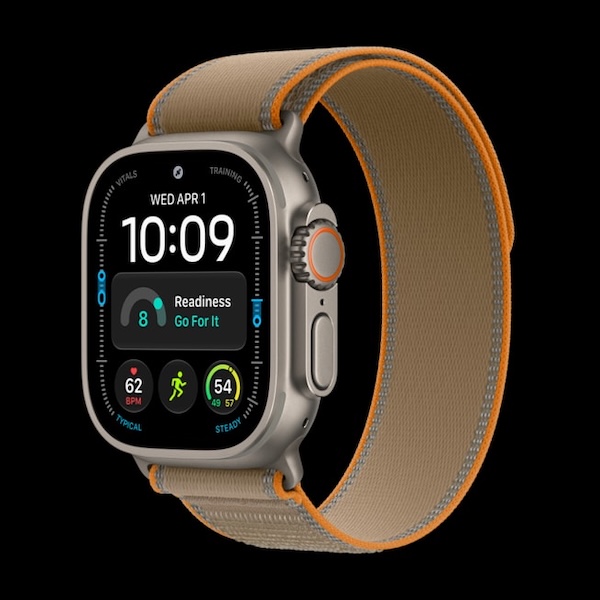
Several features are directly useful in the mountains. The Elevation view shows your climb in real time. The Backtrack feature in the Compass app helps you retrace your steps if you lose the trail. On the Ultra, the Action button marks a segment at each summit or aid station, and the siren can help you signal for help if something goes wrong. The Ultra also lets you contact emergency services via satellite (Emergency SOS via satellite, depending on the country) when you have neither cellular nor Wi-Fi coverage.
Don’t confuse the watch with the preparation, though. A trail race is also prepared through strength work, downhill running, power hiking and fueling, not just elevation gain: that’s what a well-built trail running training plan covers.
Apple Watch or dedicated GPS running watch: which should you choose?
The question comes up a lot, and the answer depends more on how you run than on the quality of the watches.
The Apple Watch is the right choice if you want a single watch for everything: running, daily life, music, notifications and health. For 3 to 5 sessions a week on the road, with runs under 3 hours, it does everything you need.
A dedicated GPS watch (Garmin, COROS, Suunto…) has the edge if you run for very long or often in the mountains, if you want to charge once a week rather than every day, or if you prefer physical buttons to a touchscreen, especially in winter with gloves. To compare, see also which GPS watch to choose as a beginner and which GPS watch to choose for ultra trail running.
Either way, it’s not the watch that makes you improve but what you do with its data. RunMotion Coach works with all of these watches, so you can change your gear without changing your plan.
Common mistakes with an Apple Watch
The first is running every easy run while staring at your pace. The result: you run too fast on easy days and arrive tired for the sessions that count. For endurance running, heart rate and being able to talk comfortably are better guides.
The second is keeping the default heart rate zones. They’re calculated from your age and can be off by several beats compared with your reality. If you train by heart rate, customize them.
The third is taking every number as an exact measurement. Fitness, calorie and recovery estimates are useful trends over several weeks, not truths to the session.
Finally, people often forget the battery. Before a long run or a race, charge the watch fully and turn off anything that drains it without helping, such as streaming music.
FAQ
Can the Apple Watch replace a GPS running watch?
For most road runners, yes: it measures pace, distance, heart rate and elevation, and handles structured intervals. For ultra trail running or if you want to charge rarely, an Apple Watch Ultra or a dedicated GPS watch is a better fit.
Can you run with an Apple Watch without your iPhone?
Yes. All current Apple Watch models have built-in GPS: the workout is recorded on your wrist and syncs with your iPhone when you get back. To listen to music without your phone, download it to the watch before you leave. To make calls without your iPhone nearby, you need a cellular model.
Which Apple Watch should you choose to train for a marathon?
A Series 12 is enough for most marathoners. Apple claims up to 10 hours of outdoor running: that’s plenty for a marathon, but start fully charged and test the battery on your long runs, music included. For your preparation, a marathon training plan tailored to your goal is the best way to make the most of your watch.
How do you put a training plan on your Apple Watch?
Either you create each session in the Workout app as a custom workout, or you use a training app that sends them automatically. With RunMotion Coach Premium, you export a single session or an entire week in one tap from the app, and they appear in the Workout app.
In summary
The Apple Watch is an excellent running partner, as long as you set it up and know what to look at. Choose your model according to your distances: SE or Series for the road, Ultra for long trail runs. Take ten minutes to customize your heart rate zones and workout views, run your easy days by heart rate and your intervals by the segment’s average pace.
The next step is to give your watch good sessions to follow. If you want a plan that adapts to your level and schedule, with sessions delivered straight to your wrist, try RunMotion Coach free for 7 days.